TeamSnap for Rookie Minors Scorekeepers
TeamSnap provides a very basic set of features for scorekeeping games.
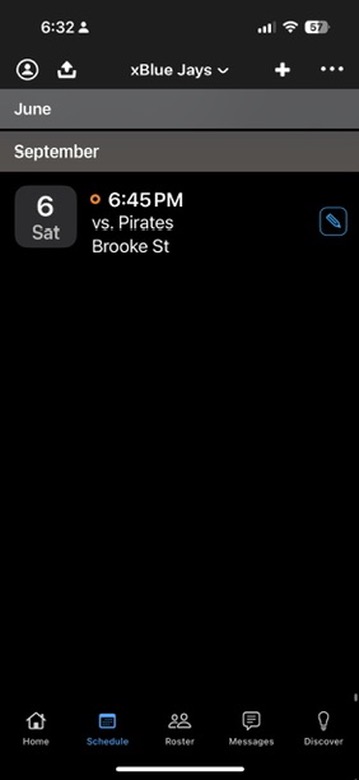
To start scorekeeping your game, open TeamSnap and select your game
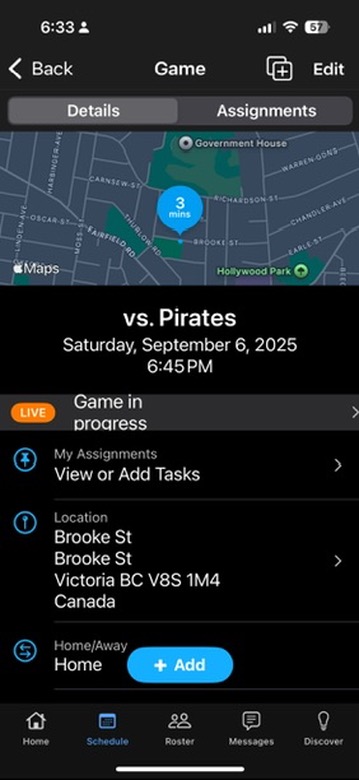
Near the start of the game click on “Game in Progress”
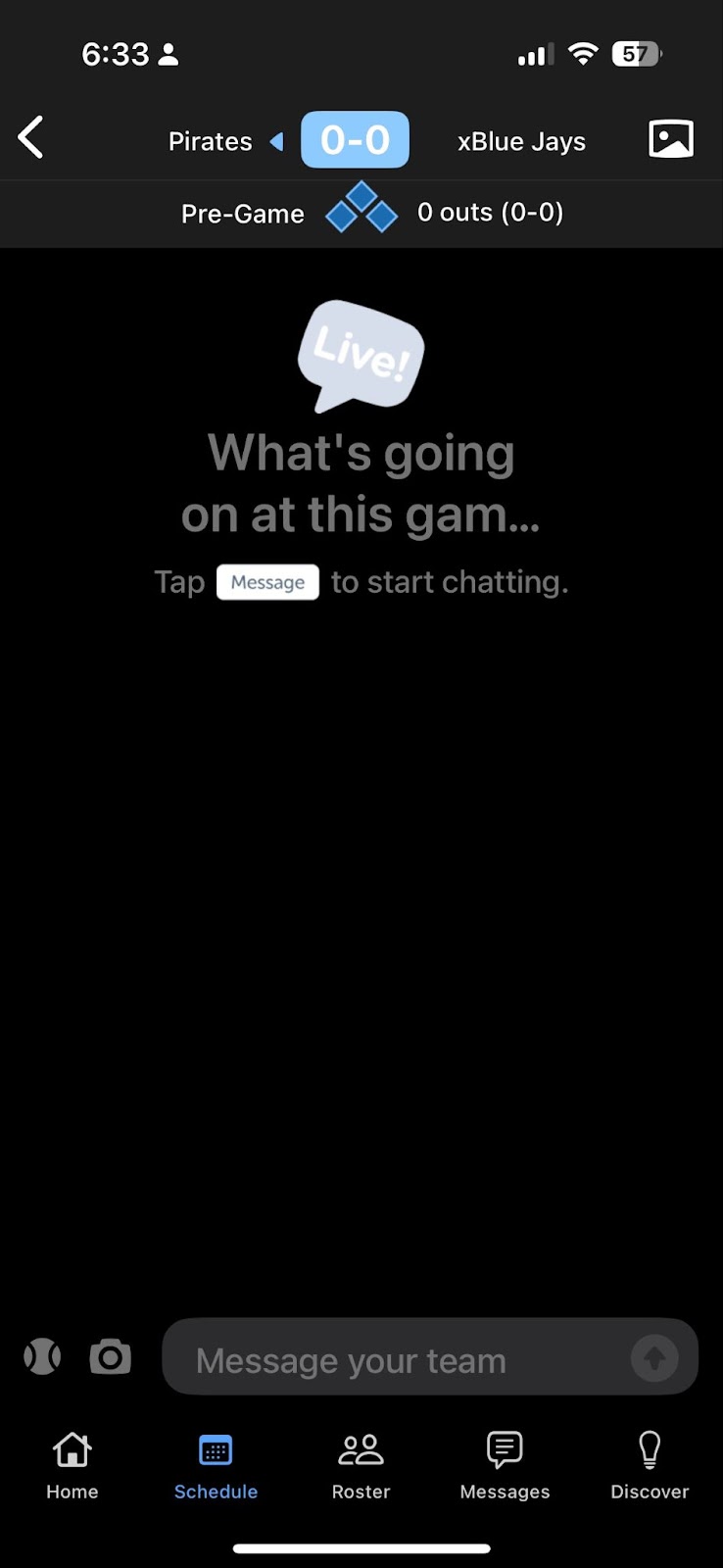
Click the scorekeeping area in blue
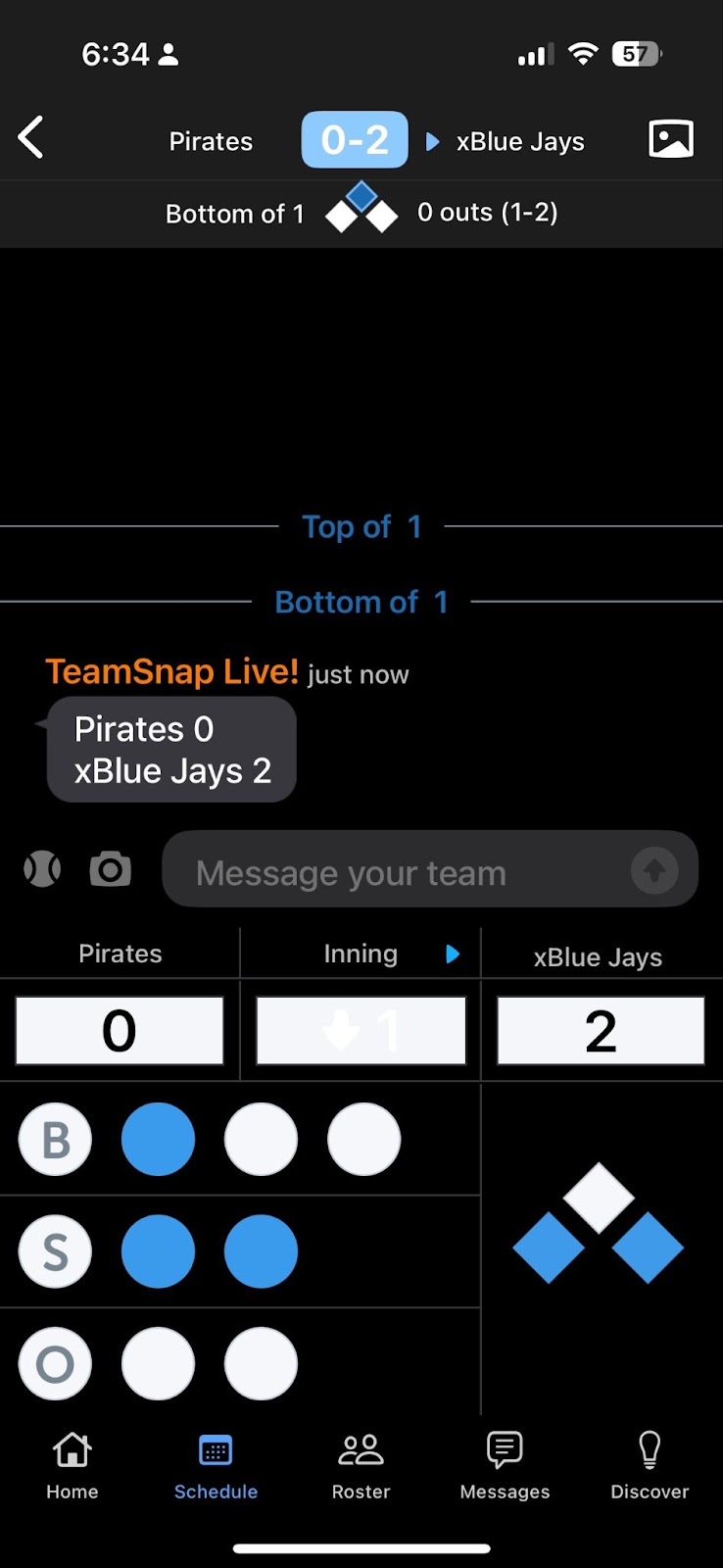
Adjust the Balls, Strikes, Out, baserunners, Score and Innings as needed. Select Final in the innings column once the game is complete. Once the game is Final the score will be recorded.
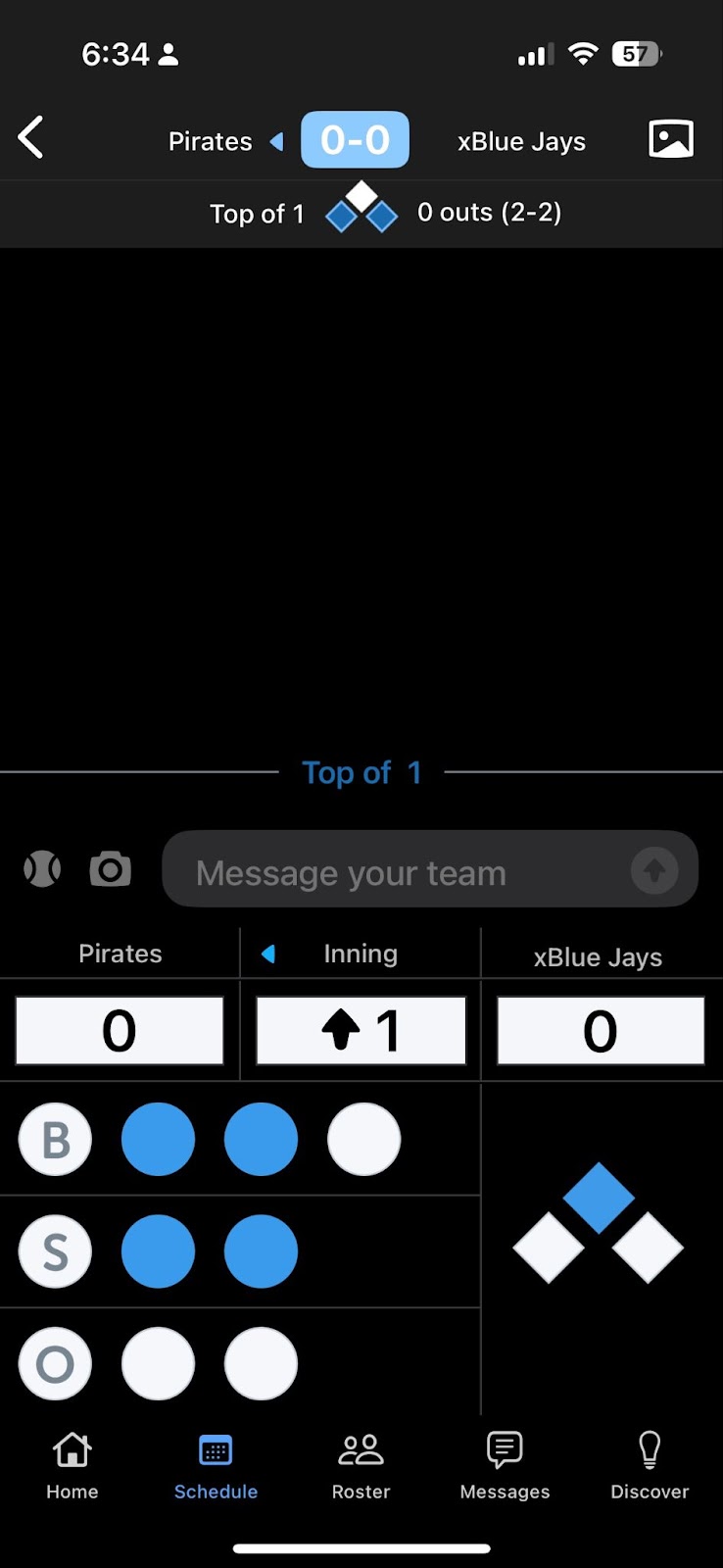
IMPORTANT
At the end of the game change the Inning to FINAL and save it