
Zoom: How to Create a Pre-Assigned Breakout Room?
(Faculty pro accounts: create up to 50 breakout rooms and assign up to a total of 200 participants.)
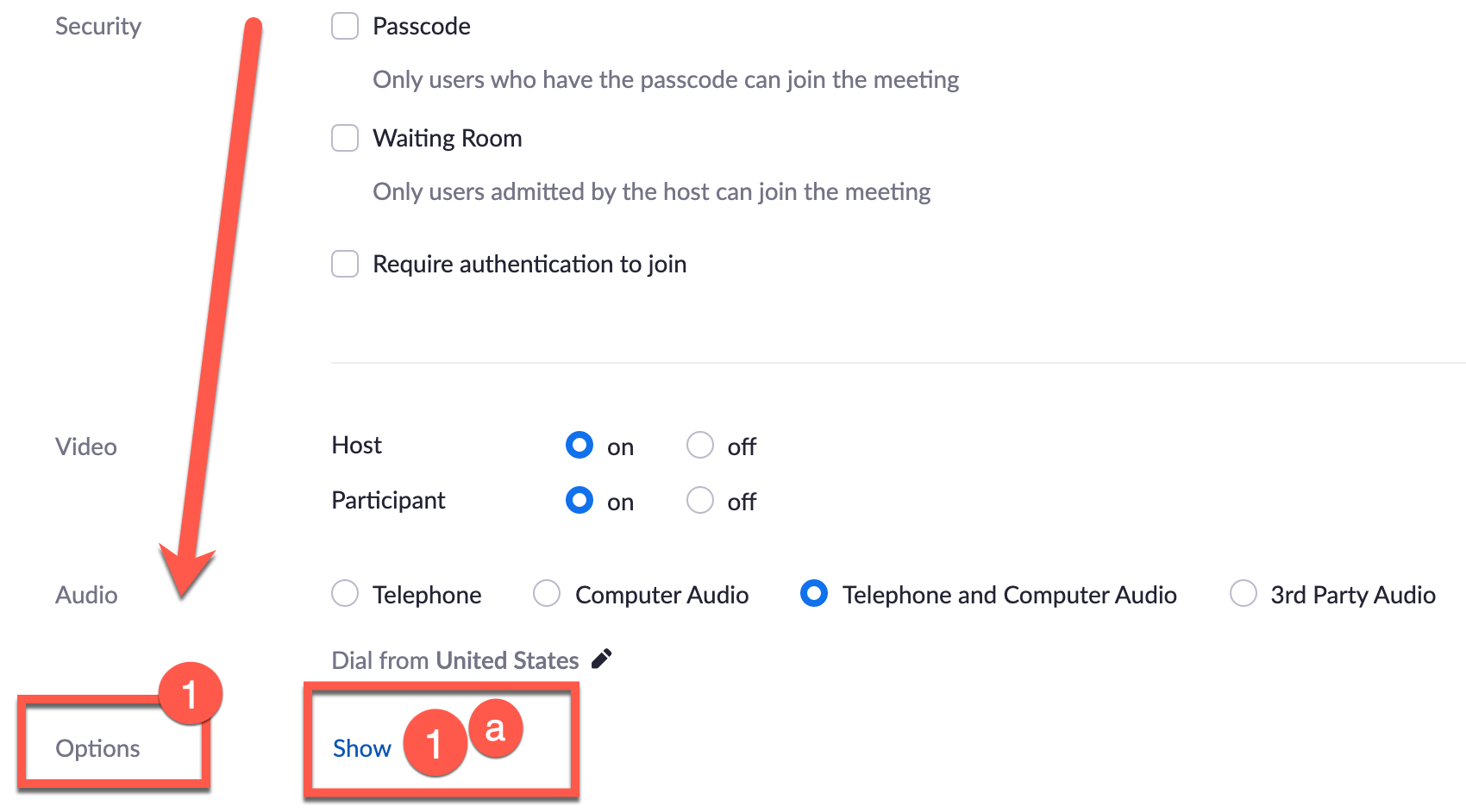
- When scheduling your Zoom meeting, scroll down and look for “Options”.
- Click on “Show”. (If you already created a Zoom meeting and want to add breakout rooms click on the ”Edit” button and follow below).
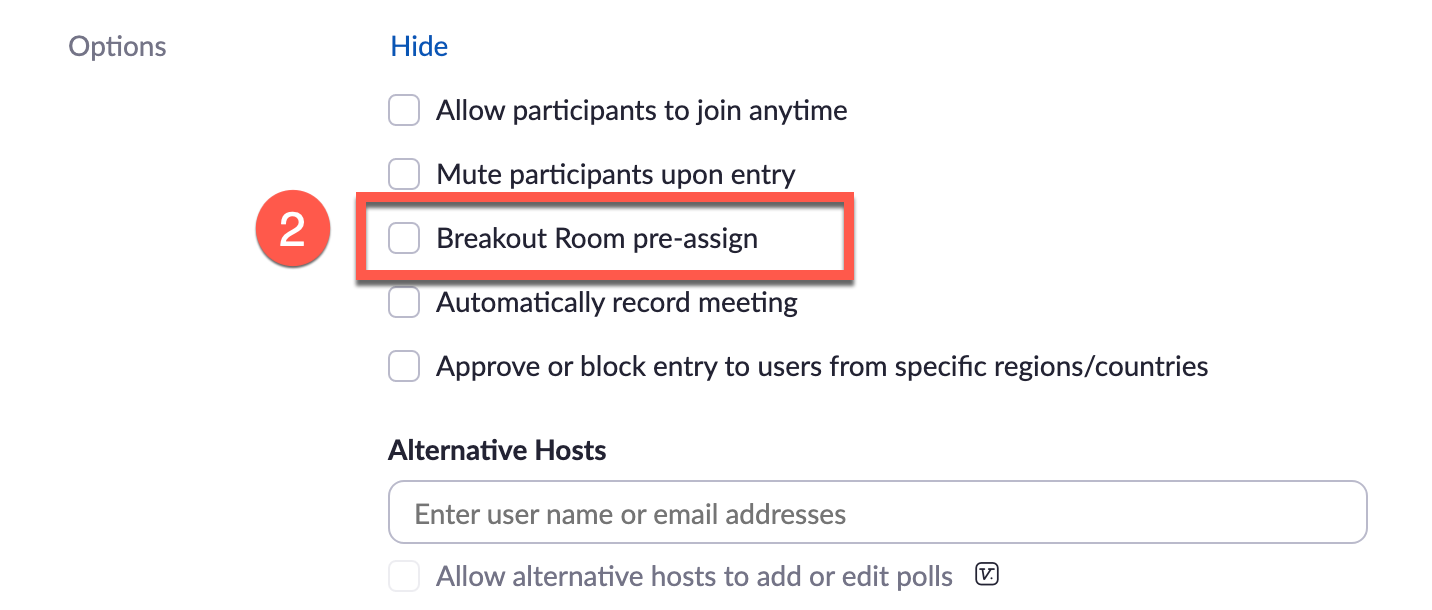
- A new window will open, select “Breakout Room pre-assign”.
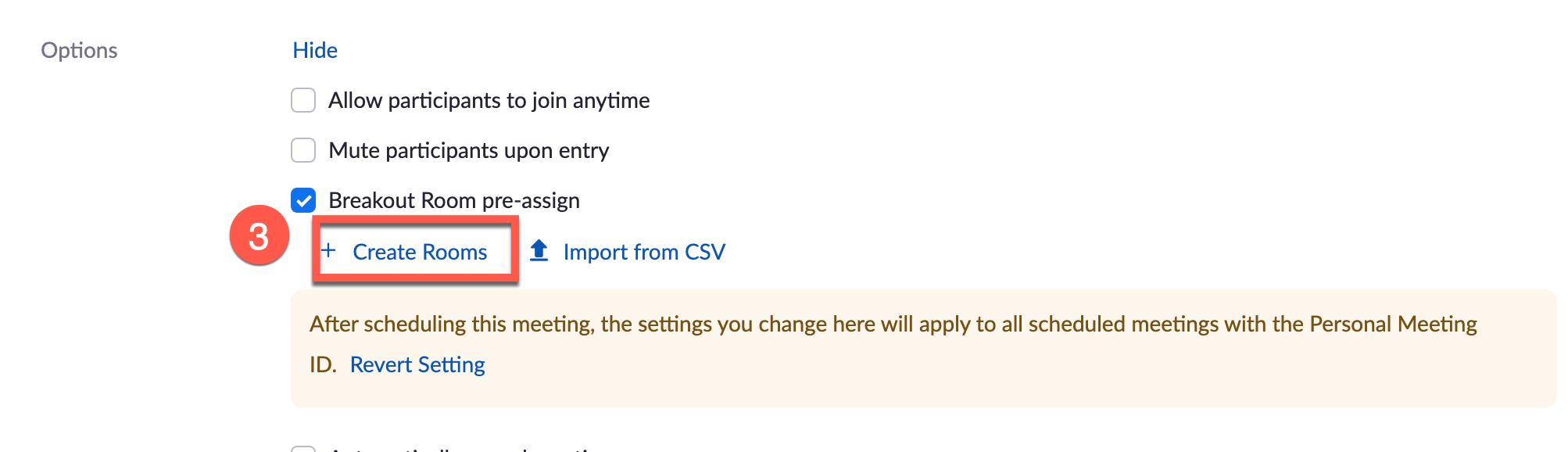
- Click on “+Create Rooms”. (For large classes, you may prefer to import from a CSV file, select the second option.)
TIPS:
- Faculty and Students Zoom desktop client for Windows, and MacOS must be 5.3.0 or higher.
- Students must be signed into their Zoom accounts to access breakout rooms.
- If you scheduled recurring meetings, the pre-assigned breakout rooms will only work if it's applied to all meetings in the recurrence. You can't edit a single meeting in the recurrence and apply a unique pre-assignment. For more information view this Zoom page .
New York Institute of Technology | Northern Blvd., P.O. Box 8000, Old Westbury, NY 11568-8000 | nyit.edu
