⟳ LR 260323ㅤ
Liry Cone Uyghurjin
秤韻穹體回紇式蒙古文
▖▖▖▖▖▖▖▖▖▖▖▖▖▖▖▖▖▖▖▖
Contents 目次
⒉ Turn On In-Font Kerning and Contextual Alternates 開啟字型內建調距及上下文替代字
⒊ Turn Off Extra Kerning 關閉額外調距
⒋ Turn Off Extra Line Spacing 關閉額外行距
⒌ Metrics (First Draft) 度量 (初稿)
▖▖▖▖▖▖▖▖▖▖▖▖▖▖▖▖▖▖▖▖
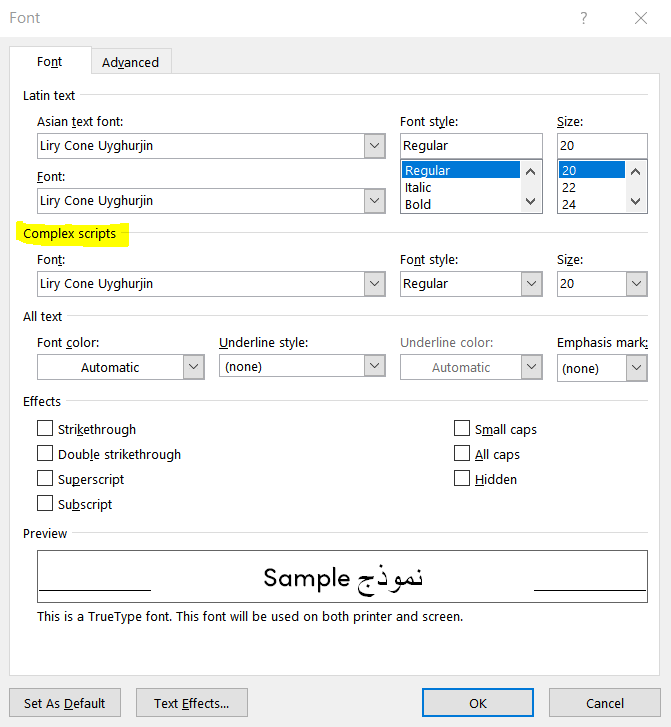
⒈ Pick the Font 設定字型
— in MS Word:
①❱ Home > Font > |↘ Complex scripts
— ☑ Select the Font
⚠️ CJK punctuation marks being typed may automatically appear back in the Asian font; to counter this,
⑴ highlight the punctuation marks in question and select back the Font in the Home > Font panel, or
⑵ press Ctrl+Shift+C on a highlighted text in format of the Font, then press Ctrl+Shift+V on the highlighted off-format text.

⸎
▖▖▖▖▖▖▖▖▖▖▖▖▖▖▖▖▖▖▖▖
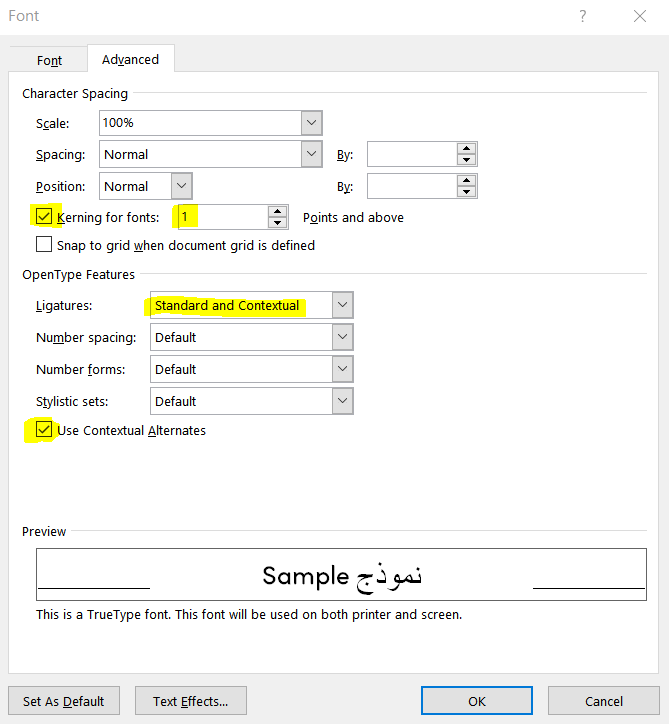
⒉ Turn On In-Font Kerning and Contextual Alternates 開啟字型內建調距及上下文替代字
— in MS Word:
①❱ Home > Font > |↘ Advanced
— ☑ Check ‘Kerning for fonts’
— Use [ 1 ] ‘Points and above’
— ☑ Select ‘Standard and Contextual’ for ‘Ligatures’
— ☑ Check ‘Use Contextual Alternates’
⸎
▖▖▖▖▖▖▖▖▖▖▖▖▖▖▖▖▖▖▖▖
⒊ Turn Off Extra Kerning 關閉額外調距
— in MS Word:
①❱ File > Options

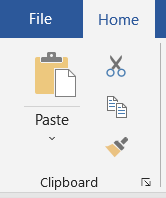
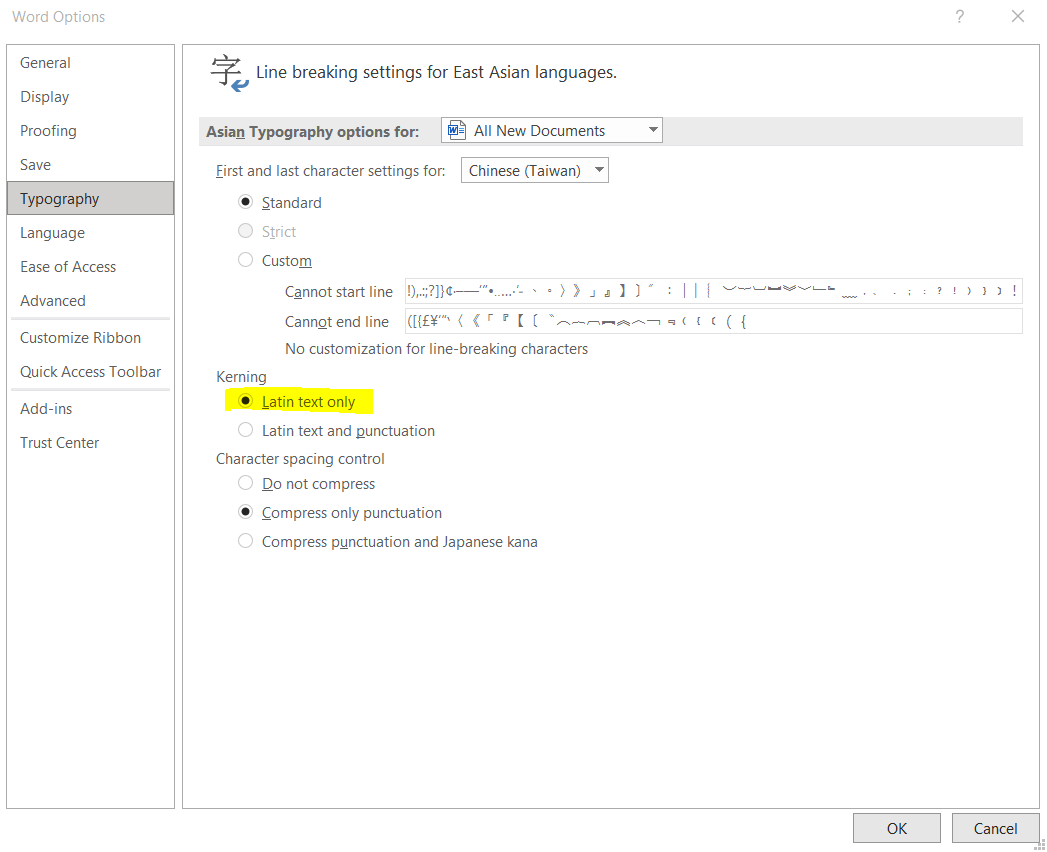
②❱ Typography > Kerning
— ◉ Choose ‘Latin text only’ > OK
⸎
▖▖▖▖▖▖▖▖▖▖▖▖▖▖▖▖▖▖▖▖
⒋ Turn Off Extra Line Spacing 關閉額外行距
— in MS Word:
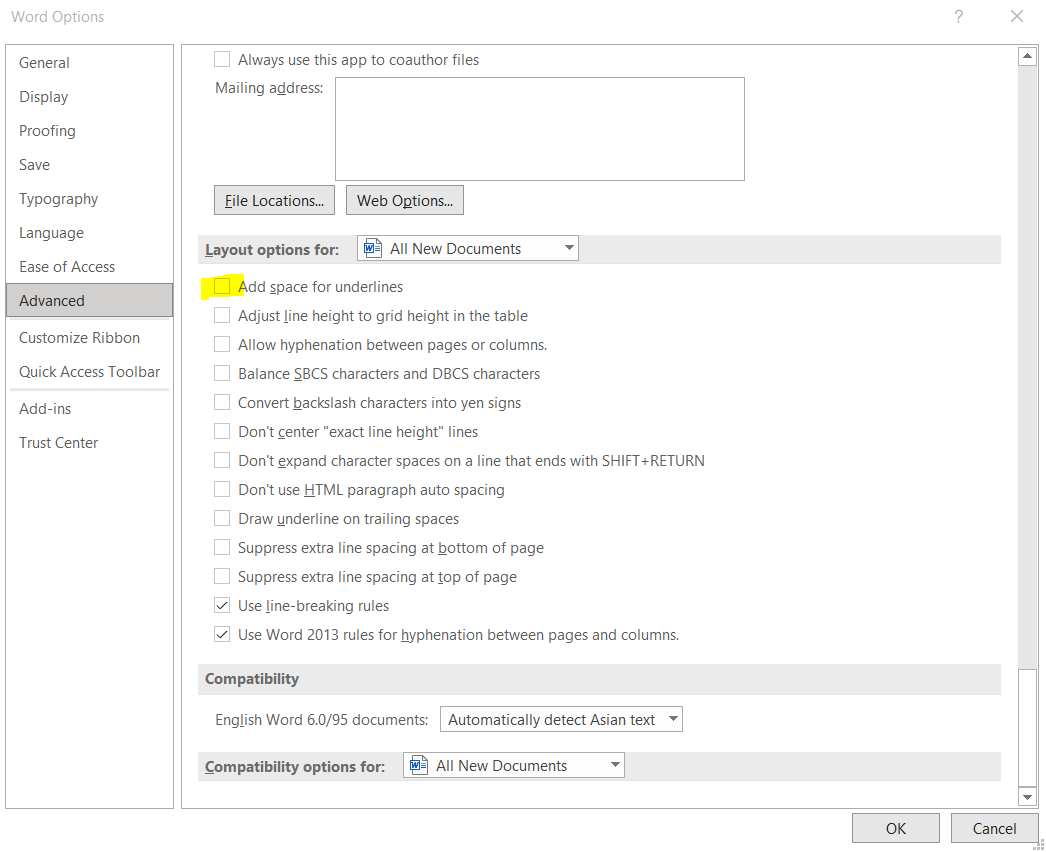
①❱ File > Options
②❱ Advanced
— ☐ Uncheck ‘Add space for underlines’ > OK
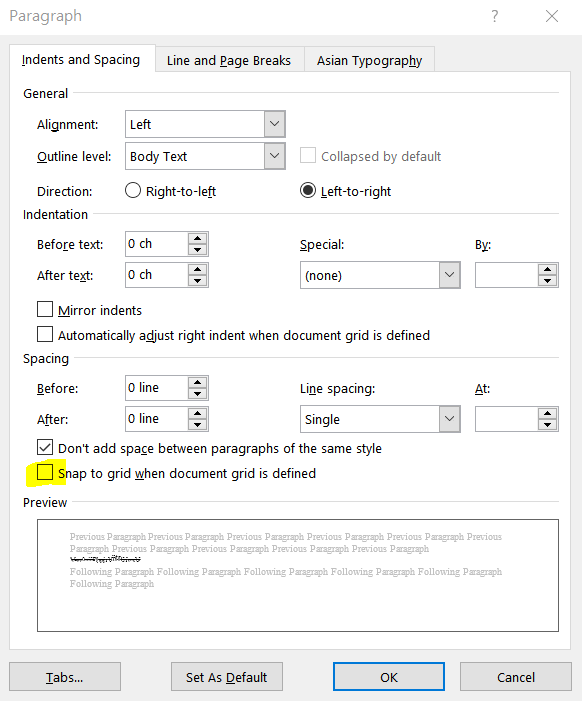
③❱ Home > Paragraph > |↘
— ☐ Uncheck ‘Snap to grid when document grid is defined’
⚠️ Some versions of Word may have auto-defined document grid and checked ‘Snap to grid’ by default.

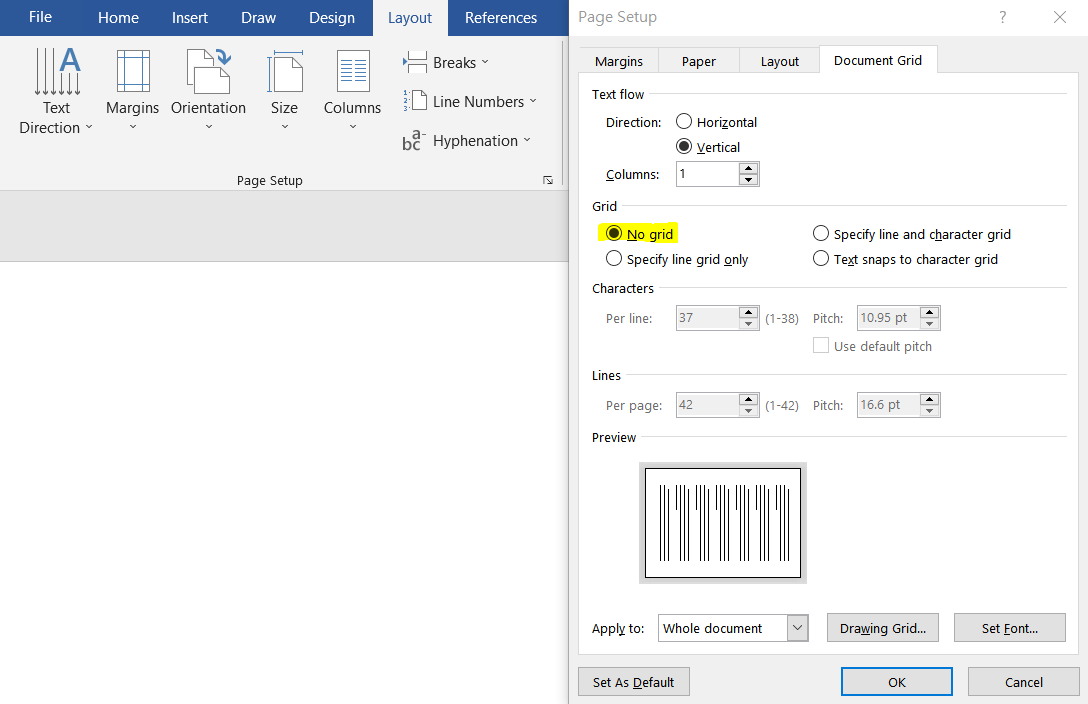
④❱ To turn off Grid: Layout > |↘ Document Grid
— ◉ Choose ‘No grid’ > OK
⸎
▖▖▖▖▖▖▖▖▖▖▖▖▖▖▖▖▖▖▖▖
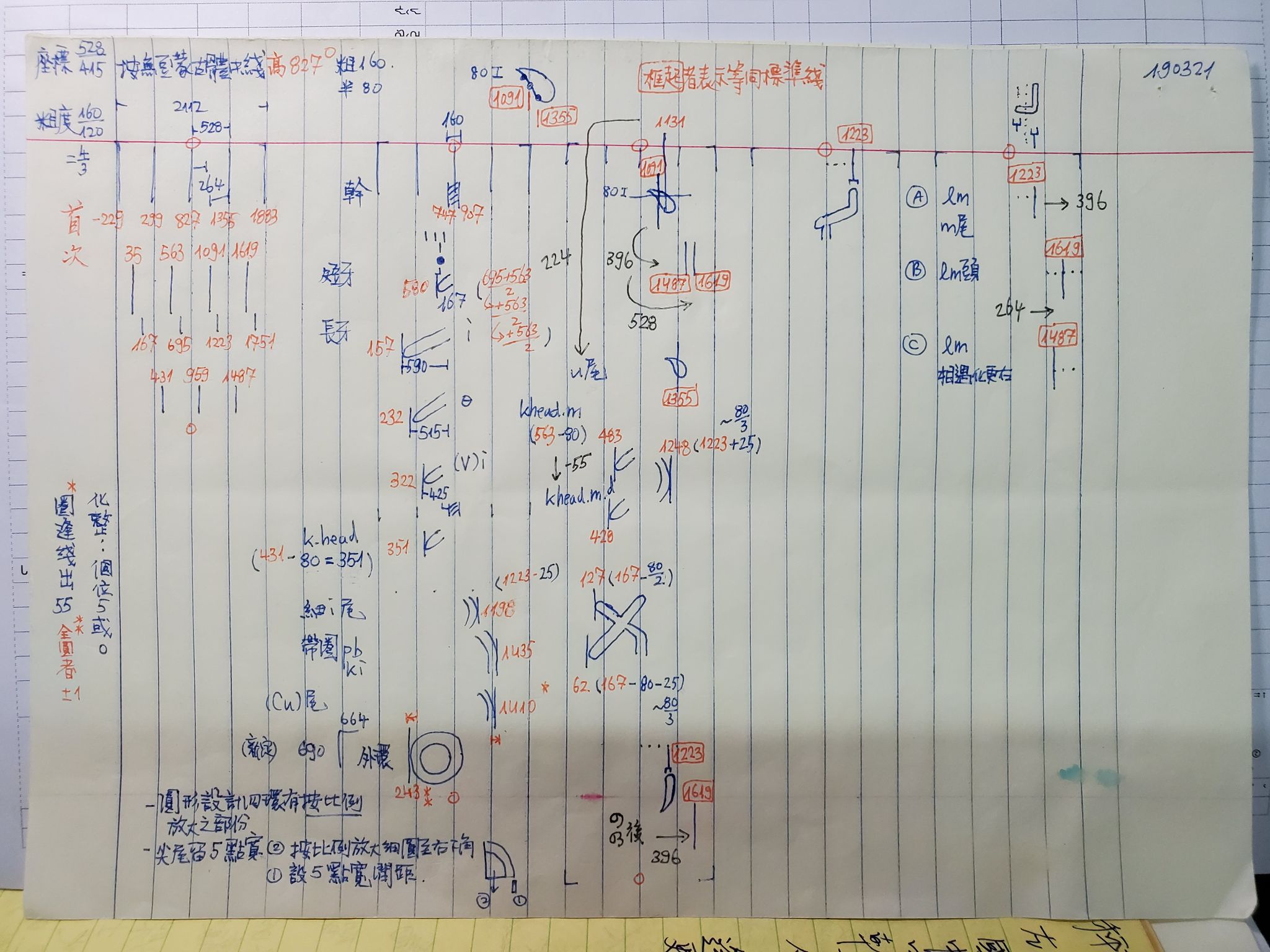
⒌ Metrics (First Draft) 度量 (初稿)
⸎