GameChanger for Coaches and Managers
What is GameChanger?
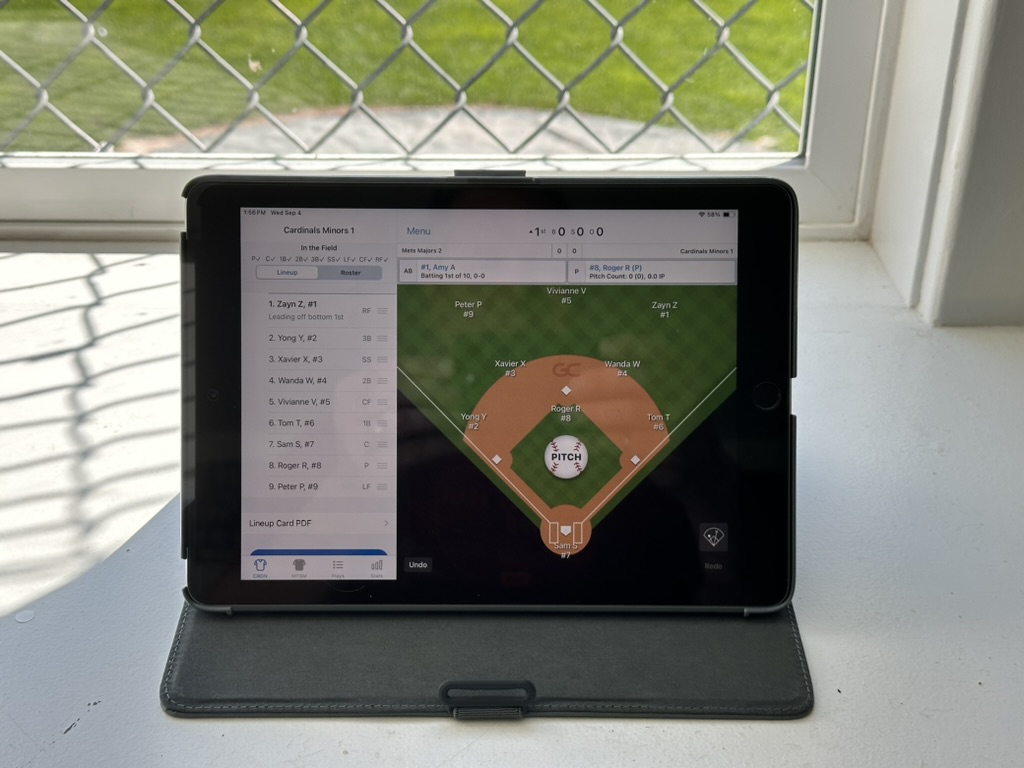
GameChanger is our electronic scorekeeping and game video streaming tool.
Who will use GameChanger?
- Minors and Majors divisions.
- Scorekeepers will use it to score games at Beacon Hill, and at away Interlock games (see below)
- Coaches will:
- view game streams, recordings, player stats, including pitch count tracking
- approve family members to join their team
- Beacon Hill VP Baseball, and Level Up and All star coaches will use it to gain insight into players abilities, coaching needs, and stats to help form the Level Up and All Start teams.
- Family members can watch video streams, scores and more (once they are approved by the coach)
- UIC will use video recordings of the games for umpire training and development
How much does GC cost?
- GC is free for Family Members, Coaches and Beacon Hill
- GC offers paid plans with more functions and stats. BH is not responsible for any costs https://gc.com/pricing
Do I need to load my team's schedule?
- Games at Hollywood Park: NO, Please do NOT load your schedule. They will be done by David Spence UIC a few days before your games.
- Away Interlock Games: YES, since we don’t know which team at the away club you are playing as the other club organizes that
What will we not be using GameChanger for?
- Team Messaging
- Player Availability
- Scorekeeping and Streaming at away Interlock games (this may change in the future) using Beacon Hill equipment. You are welcome to scorekeep using your own device at this time.
- Generally any other function that is done in TeamSnap
Is the video streaming public?
No. The video stream is only available to confirmed members. (ie the coach has to approve a parent/family member)
Coaches:
You can review your teams games and stats on tablet, phone and web access (web.gc.com). Note that limited features are on the web interface.
Use GC to ensure you are following our pitch count limits. On the mobile app:
- Click on a game
- Click on Box Score
- Click on Pitching
- Click on Advanced
- Use column: LBFP# (Last Batter, First Pitch). Remember that if you had games in the days before this game also include the total pitch count to calculate the total pitches to ensure you are within the pitch count rules.
Family members of your players can be added to your team so they can follow along and scorekeep any Away games not at Beacon Hill.
- They can search for your team after downloading the iOS or Android App, creating an account and searching for the Beacon Hill team.
Once they ask to join your team, you will need to approve their membership to the team.
Ensure that you have push notifications turned on so you can get these notifications.
- You can invite Family Members via email:
- Click on your Team
- Click on Player’s name
- Click on Contacts
- Click on “Add Family Contacts”
- Enter the family member’s email address to invite them to the team or to create an account
Note: Once a family member of a player is added, they can add additional family members themselves
Scorekeepers needed for away Interlock games
Now that there are Family Members on your team, the Staff need to designate scorekeepers. This needs to be done by one of the Staff roles on your team (ie Coach, Manager or Assistant). You can select specific people who can scorekeep throughout the season or All Confirmed Members. If the same people are your regular scorekeepers you only need to do this once.
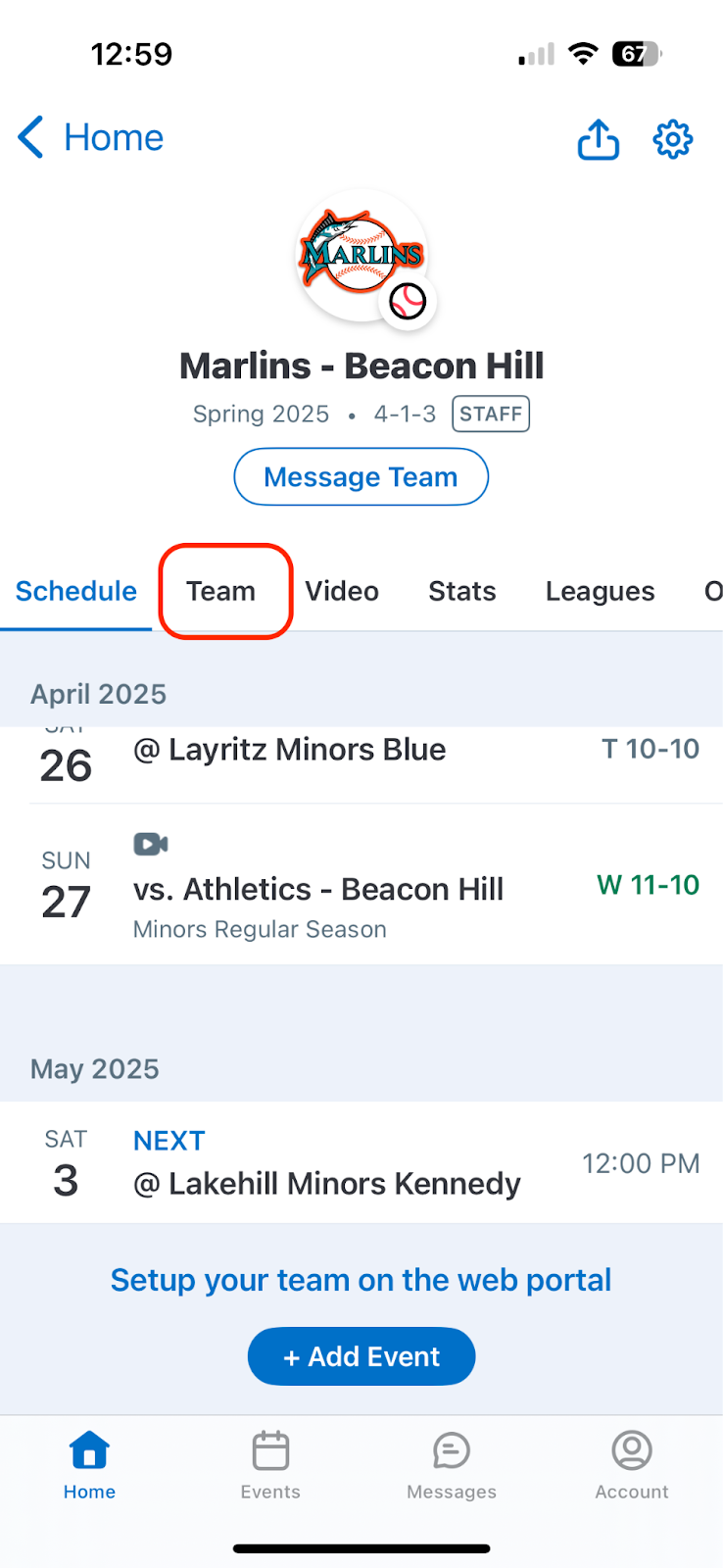
Team Staff: From the home screen, click on Team
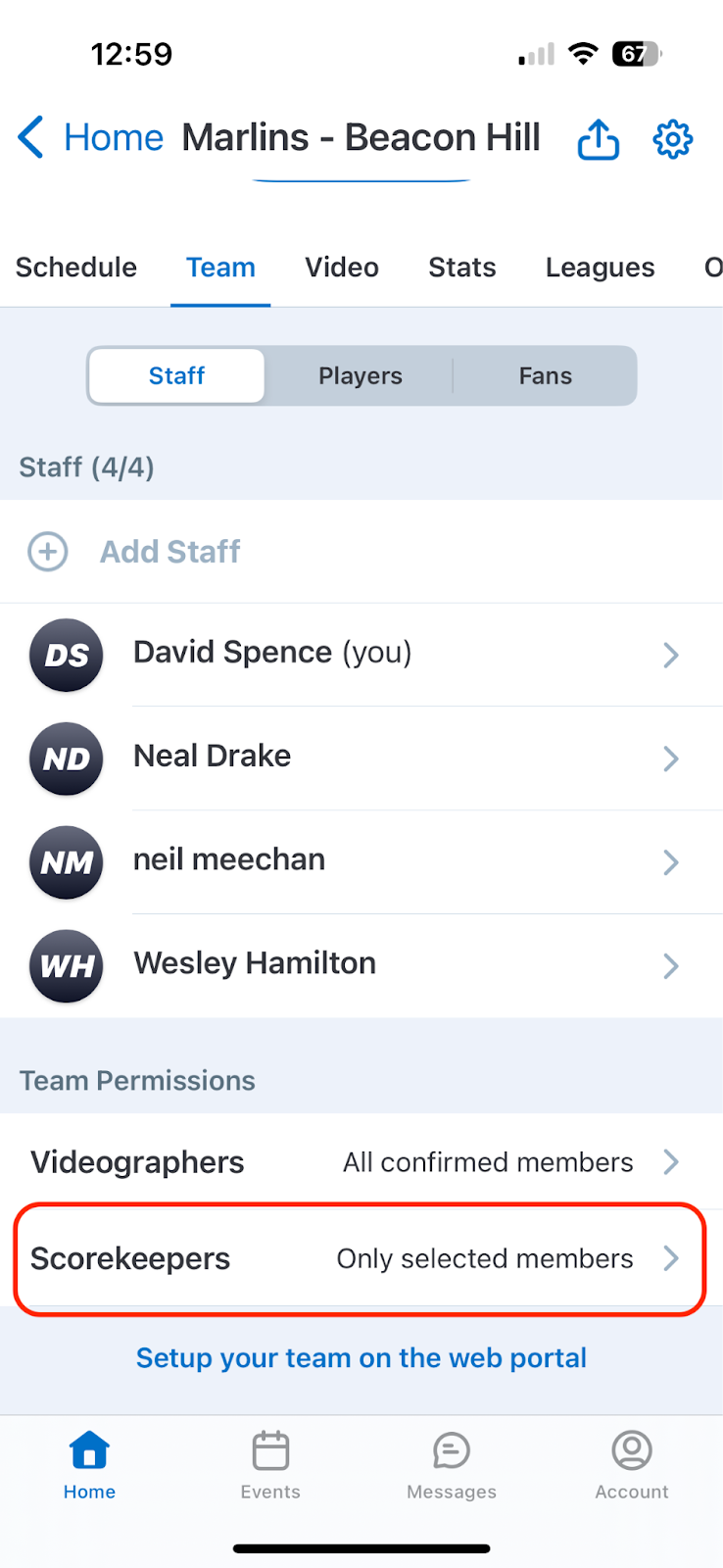
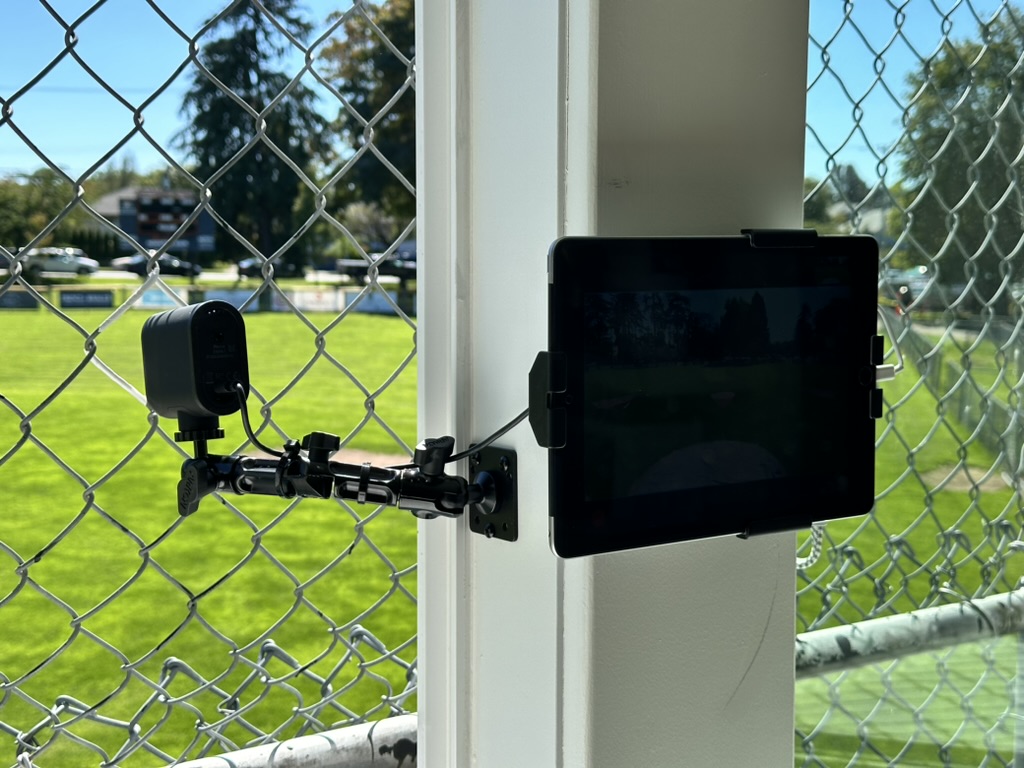
Click on Scorekeepers (the following is the same if you want to designate a separate Videographer to record the game using their phone mounted to a tripod or to the fence. Beacon Hill is not responsible for any data costs associated with scorekeeping or video recording of games).
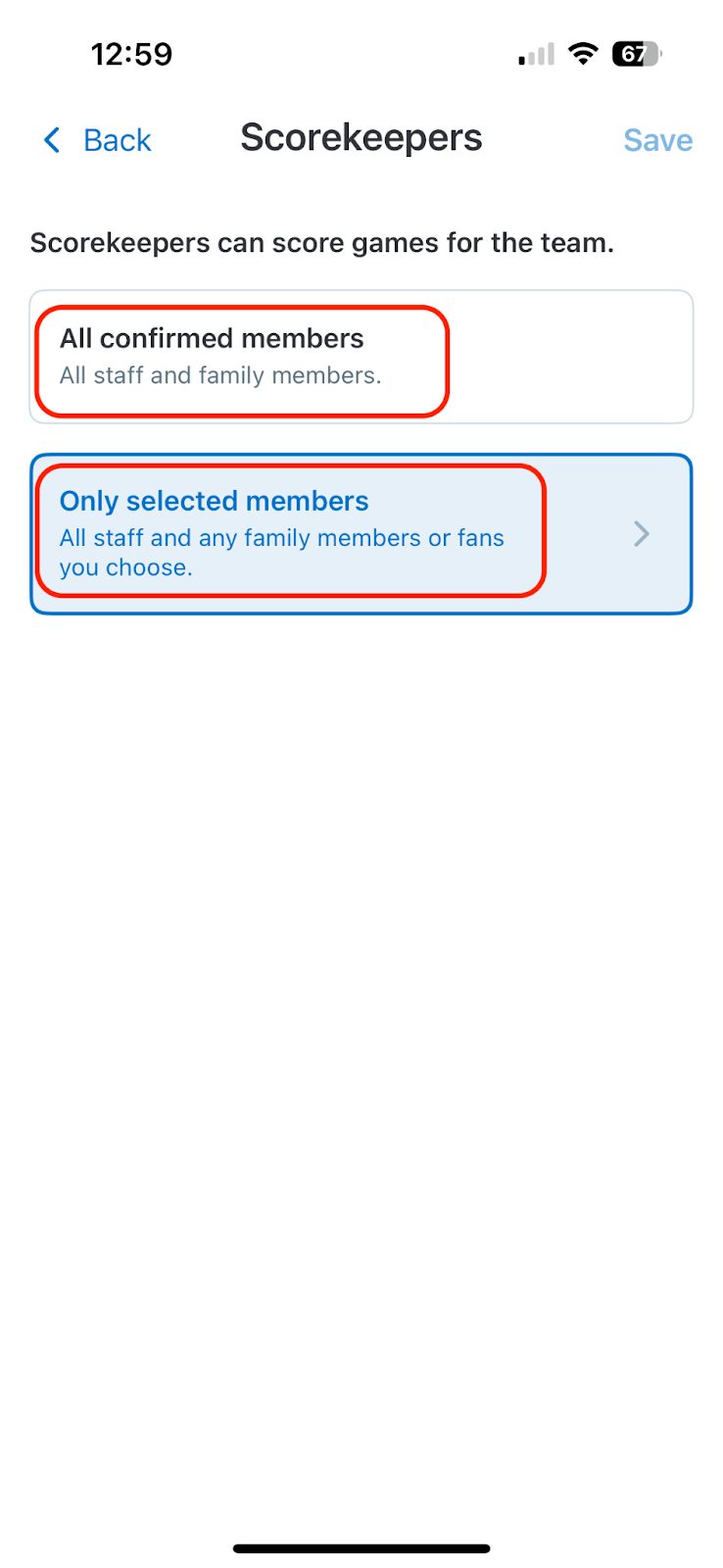
Select either All confirmed members, or Only selected members. All Confirmed Members is the default.
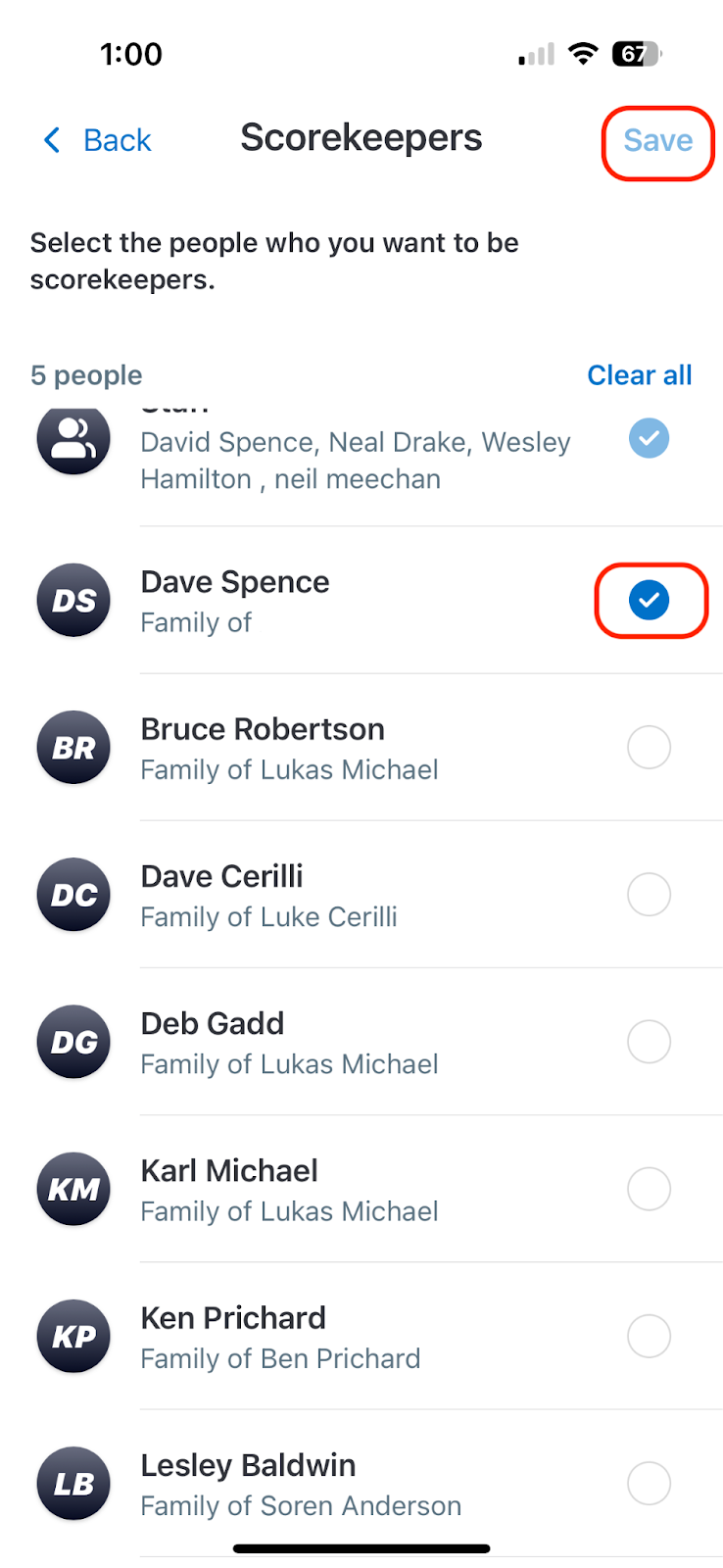
If using Only Selected Members, choose the Family Members and click Save. The Scorekeeper is now set up and will be able to scorekeep any game.
Only 4 Staff are allowed to be on each team. In order for GC to work as intended for Beacon Hill. The two default staff are
Minors:
- David Spence (UIC in order for our scorekeeping system to function league wide)
- Head Coach of your team
Majors:
- David Spence (UIC in order for our scorekeeping system to function league wide)
- Head Coach of your team
Please do not remove access to these accounts.
Managers:
Please ensure that scorekeeping parents are familiar with how to set up and how to scorekeep. This link will direct you and them to the setup instructions, and all the Scorekeeping tutorials available.
Scorekeepers should arrive 15-20 minutes before game time in order to set up the equipment, enter the lineups, and ensure everything is working properly.
Please ensure that scorekeeping and scoreboard operators stay in the clubhouse to perform these duties; do not take the equipment into the stands.
For Scorekeeping away Interlock games, follow this document: https://docs.google.com/document/d/1WaGV5Jwwp_pBFgvL5FgLPIw3V0g-B4c4sma5Ptnl6Ys/edit?usp=sharing
Who do I contact if I have any questions?
David Spence / UIC / uic@beaconhillball.com / 778-677-3722
Where can I learn more about GameChanger?
Website: https://gc.com/
Support site: https://teammanager.zendesk.com/hc/en-us
Scorekeeper training: https://gc.com/gcu/scorekeeping-baseball-softball
<end of document>
Mar 30, 2026